| Native Resolution |
1080p (1920 x 1080) |
| Brightness (ANSI Lumens) |
2200 ANSI Lumens |
| Contrast Ratio (FOFO) |
15,000:1 |
| Speaker |
Chamber Speaker 10W x 1 |
| Resolution Support |
VGA (640 x 480) to WUXGA_RB (1920 x 1200) *RB = Reduced Blanking |
| Display Color |
1.07 Billion Colors |
| Native Aspect Ratio |
16:9 |
| Light Source |
Lamp |
| Light Source Wattage |
240W |
| Light Source Life |
- Normal: 3,500 hours |
| - Economic: 5,000 hours |
|
| - SmartEco: 7,000 hours |
|
| Throw Ratio |
1.15 - 1.5 (100" @ 2.5m) |
| Zoom Ratio |
1.3x |
| Lens |
F/# = 2.59 - 2.87, f = 16.88 - 21.88 mm |
| Lens Shift |
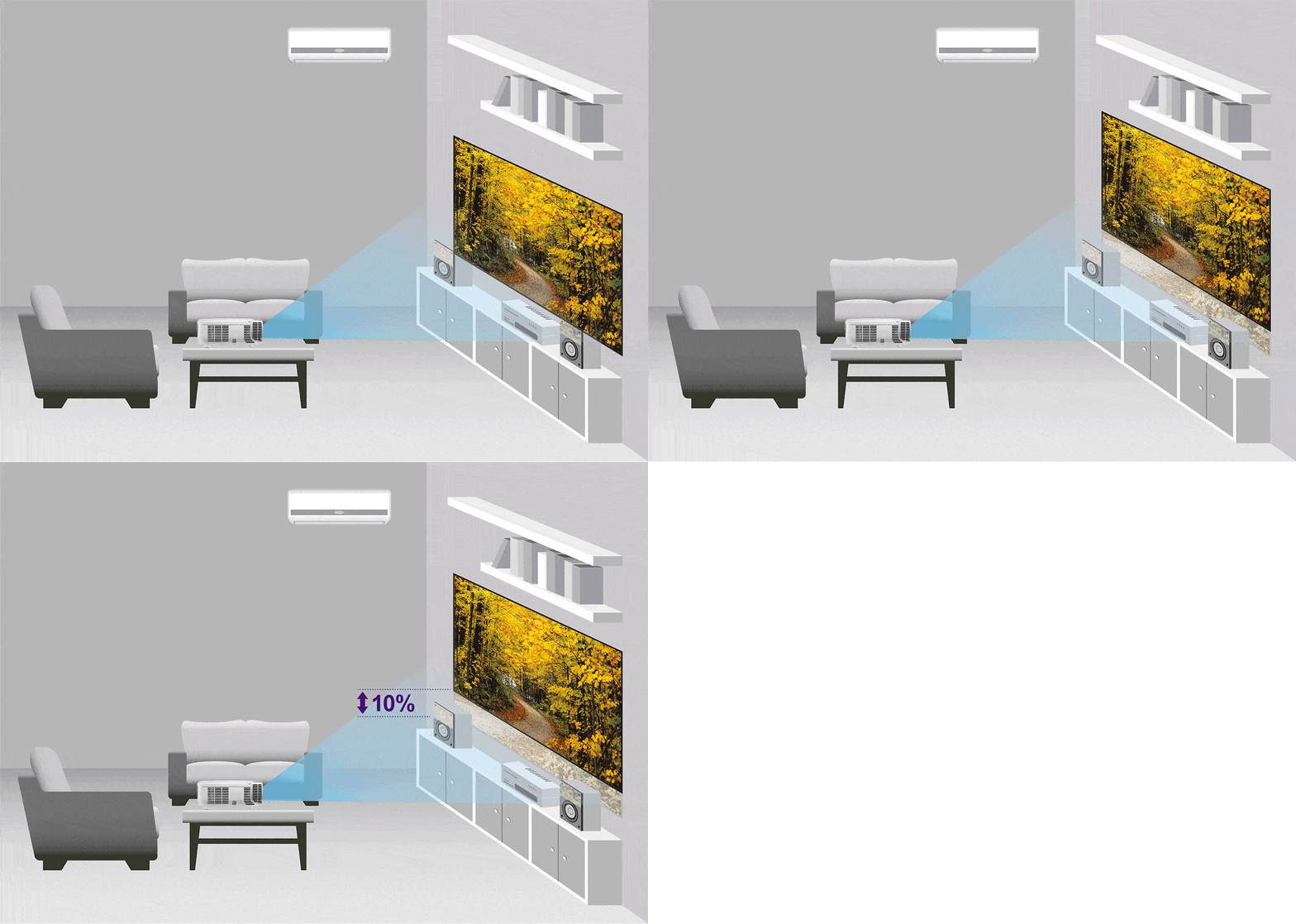
Vertical: +10% |
| Keystone Adjustment |
1D, Vertical ± 40 degrees |
| Projection Offset |
105% ± 2.5% |
| Clear Image Size (Diagonal) |
60" ~ 180" |
| Image Size |
30" ~ 300" |
| Horizontal Frequency |
15 - 102KHz |
| Vertical Scan Rate |
23 - 120Hz |
| Picture Mode |
Bright / Vivid / Cinema / Game / User 1 / User 2 / ISF Night / ISF Day / (3D) |
| Color Wheel Segment |
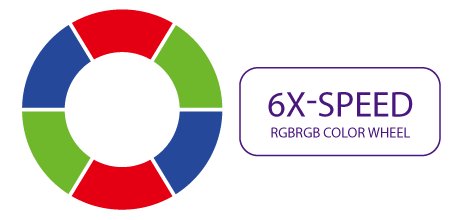
6-Segment (RGBRGB) |
| Color Wheel Speed |
6x (50Hz), 4x (60Hz) |
| Rec.709 Coverage |
96% |
| Speaker |
Chamber Speaker 10W x 1 |
| Interfaces |
- PC (D-Sub) x1 |
| - Composite Video in (RCA) x1 |
|
| - Component Video In x1 |
|
| - HDMI x2 (1.4a/HDCP 1.4) |
|
| - USB Type A x1 |
|
| - USB (Type mini B) x1 (Service) |
|
| - Audio In (3.5mm Mini Jack) x1 |
|
| - Audio L/R in (RCA) x1 |
|
| - Audio Out (3.5mm Mini Jack) x1 |
|
| - RS232 (DB-9pin) x1 |
|
| - DC 12V Trigger (3.5mm Jack) x1 |
|
| - IR Receiver x2 (Front/Top) |
|
| - Security Bar x1 |
|
| Special Features |
- ISF Night/Day |
| - CinemaMaster Audio + |
|
| Compatibility |
- HDTV Compatibility: 480i, 480p, 576i, 567p, 720p, 1080i, 1080p |
| - Video Compatibility: NTSC, PAL, SECAM, SDTV |
|
| - 3D Compatibility: Frame Sequential (up to 720p), Frame Packing (up to 1080p), Side by Side (up to 1080i/p), Top Bottom (up to 1080p) |
|
| Power Supply |
AC100 to 240V, 50 to 60 Hz |
| Typical Power Consumption |
353W / 110V |
| Standby Power Consumption |
< 0.5W |
| Acoustic Noise (Typ./Eco.) |
29 / 27 dB |
| Operating Temperature |
0 ~ 40℃ |
| Dimensions (W x H x D) |
380.5 x 121.7 x 277 mm |
| Net Weight |
3.3 kg (7.27 lbs) |
What Our Experts Think
The BenQ HT3050 Home Cinema Projector is an excellent choice for creating a high-quality home theater experience. Here’s why it stands out:
-
Full HD 1080p Resolution: Offers crystal-clear, detailed images in full 1080p, making it ideal for HD movies, gaming, and presentations.
-
Rec. 709 Color Accuracy: Provides cinematic color accuracy, meeting the Rec. 709 standard for true-to-life colors, ensuring an authentic viewing experience.
-
Vertical Lens Shift: Allows flexible installation with easy adjustments for image alignment, making it simple to place the projector in various spaces.
-
High Brightness & Contrast: Offers a vibrant picture with excellent contrast, even in rooms with ambient light.
-
Cinema-Quality Audio: Equipped with built-in speakers that provide a rich audio experience, or easily integrates with external sound systems for a full cinematic experience.
-
Manufacturer RFB: Refurbished with factory standards, ensuring high performance at a great value.
Q&A
Q: What is the BenQ HT3050 Home Cinema Projector (Model: HT3050)?
A: The BenQ HT3050 is a home cinema projector that features vertical lens shift and Rec. 709 color accuracy for enhanced image quality. It provides full HD resolution with excellent color reproduction and contrast, creating a cinematic viewing experience.
Q: Who is this product for?
A: The HT3050 is ideal for home theater enthusiasts and movie lovers who seek vibrant, accurate colors, and flexible installation options. It's perfect for those who want a high-quality projector for movies, gaming, and media consumption.
Q: Why should I choose this product?
A: The HT3050 offers superior image quality with Rec. 709 color accuracy, vertical lens shift for easy placement, and full HD resolution. It's a great choice for anyone looking for an affordable yet premium home theater projector with excellent color reproduction and flexibility.
Maintenance Tips
-
Regular Cleaning: Clean the projector’s lens and air vents regularly with a soft, microfiber cloth to remove dust and debris. Avoid using harsh chemicals or abrasive materials.
-
Lens Protection: Gently clean the lens with a lens cleaning brush or microfiber cloth to avoid scratches. Never apply excessive pressure when cleaning the lens.
-
Ventilation and Airflow: Ensure the projector's air vents are free from dust and debris. Use compressed air to gently blow out any buildup, but do not direct the air too closely to the vents.
-
Lamp Maintenance: Monitor the lamp usage hours and replace it when necessary to maintain optimal brightness and image quality. Replace the lamp if you notice a decrease in brightness or image quality.
-
Proper Placement: Set up the projector on a stable, flat surface to reduce the risk of movement and vibrations that could affect performance. Ensure the projector is positioned to avoid overheating.
-
Storage: When not in use, store the projector in a cool, dry place away from moisture, sunlight, and heat sources to preserve its components.
-
Cable Check: Inspect cables for wear, fraying, or loose connections. Ensure all connections are secure to maintain a reliable signal and prevent damage to ports.
-
Firmware Updates: Periodically check for firmware updates to keep the projector running efficiently and to take advantage of new features or improvements.
-
Screen Cleaning: If used with a screen, clean the screen with appropriate cleaning products designed for projectors to ensure the best possible image quality.
-
Avoid Sunlight Exposure: Keep the projector out of direct sunlight and avoid exposing it to extreme temperatures, as it may damage the internal components.